
Guide
How to Make a Comic Book: From Page Plan to Printed Copy
A book is more than a long comic. It needs a page count that binds, a cover, front and back matter, bleed and a plan for printing. This guide walks through every stage for hand drawn and digital creators, with a page planner, real cost ranges and a print method chooser.
Updated 14 min read
Start to finish
The 7 stages of making a comic book
Published comics move through the same seven stages, usually split between a writer, a penciler, an inker, a colorist and a letterer. Working alone, you do all of them: by hand, in drawing software, or with a comic book maker that drafts the script and the art while you direct. Here is the whole process either way, one stage at a time.
- 1
Plan the book
Format, page count and a one line pitch for each chapter.
Who usually does it: Writer or editorBy hand or in software
Pick a trim size and a page count, then sketch a flatplan: one box per page, covers included.
With comicideas
Choose pages (up to 24 per comic), panels per page (2 to 8) and a style. Longer stories become chapters inside one book.
- 2
Script
A page by page script: what each panel shows, dialogue, captions.
Who usually does it: WriterBy hand or in software
Write it in any document. Script format and panel craft are covered in how to make a comic.
With comicideas
The AI writes the full script panel by panel, free. Edit any line or rewrite a single panel.
- 3
Thumbnails
Tiny rough layouts of every page.
Who usually does it: Writer or pencilerBy hand or in software
Rough each page on a thumbnail sheet and check what the reader sees on each page turn.
With comicideas
Every page starts from a layout template. Swap it, add or remove panels.
- 4
Characters and settings
Sheets that fix faces, outfits and places.
Who usually does it: PencilerBy hand or in software
Draw front, side and back views of each lead and keep them beside you while you work.
With comicideas
Generate a sheet for each character (up to 6 per comic) and each location. They go into every panel.
- 5
Pencils, inks, colors
Finished art for every panel.
Who usually does it: Penciler, inker, coloristBy hand or in software
Draw on paper or screen. Scan paper pages at 300 DPI for color and 600 DPI for black and white line art.
With comicideas
Draw a page or the whole book at 3 credits a panel on the default quality, or upload your own drawings in the panel editor.
- 6
Lettering
Balloons, captions and sound effects.
Who usually does it: LettererBy hand or in software
Letter by hand or with a font made for comics, see comic book fonts. Keep words inside the safe area.
With comicideas
Balloons, captions and sound effects are a real text layer you drag and edit, with 5 lettering fonts.
- 7
Cover, files, print
Cover, front and back matter, a print ready PDF.
Who usually does it: Designer, or youBy hand or in software
Lay out pages with bleed in your art program and export a PDF at the printer's trim size.
With comicideas
Add a cover from 4 templates (AI cover art costs about 14 credits), then export a print ready PDF with bleed in 9 trim sizes. Multi page book export starts on the Creator plan, or Starter billed yearly.
Roles follow the AuthorWings production guide (Oct 2026). We do not print or ship books: you upload the PDF to the printer you choose.
Page planner
Plan the page count before you write
The page count sets your budget, your schedule and how you can print. Keep the first one small. As one creator put it, "it's better to start with something relatively short and easy" (Sarah Driffill, Making Comics, 2013). Pick a book type, then adjust the numbers to see what will bind.
Book type
Folded from one sheet, no staples or glue.
Your book
8pages in total
- Cover
- Front or back matter
- Story page
- Bonus page
- pages in total
- 8
- Cover pages counted
- 2
- Bonus pages to add
- 0
- Panels to draw
- 12
- Credits in our tool
- 36
- Chapters in our tool
- 1
Checks
- One sheet folds into exactly 8 faces: front cover, 6 story pages, back cover.
Credits show what the art would cost in our tool at the default quality (3 per panel; 2 to 6 depending on the model). Scripts are free and new accounts start with 100 credits. Drawing by hand costs paper, not credits.
Counts follow common practice: about 22 story pages for an issue, a multiple of 4 including covers for stapled books, 24 pages for a KDP paperback (72 for Standard Color), more than 79 pages for spine text. Check your printer's current rules before you lock the plan.
Book anatomy
The parts of a printed comic book
Every printed issue has the same parts. Here they are on our example book, Tamsin and the Night Ferry, drawn at the classic 6.625 x 10.25 in trim. The red band is bleed, the ink line is where the page is cut and the blue dashes mark the safe area. Other trims are listed in standard comic book dimensions.
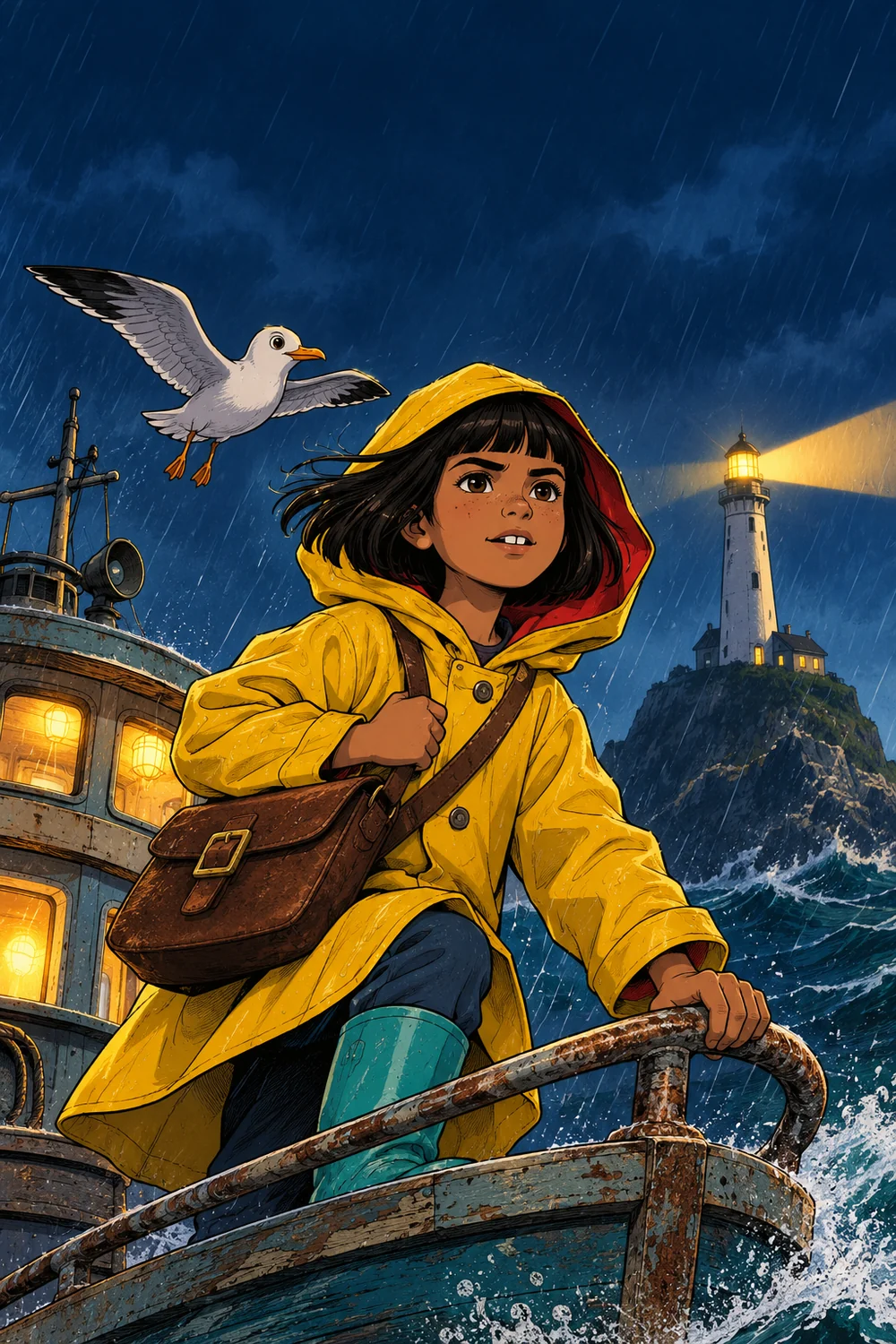
Tamsin and the Night Ferry
One letter. One storm. One brave gull.
A comicideas example book
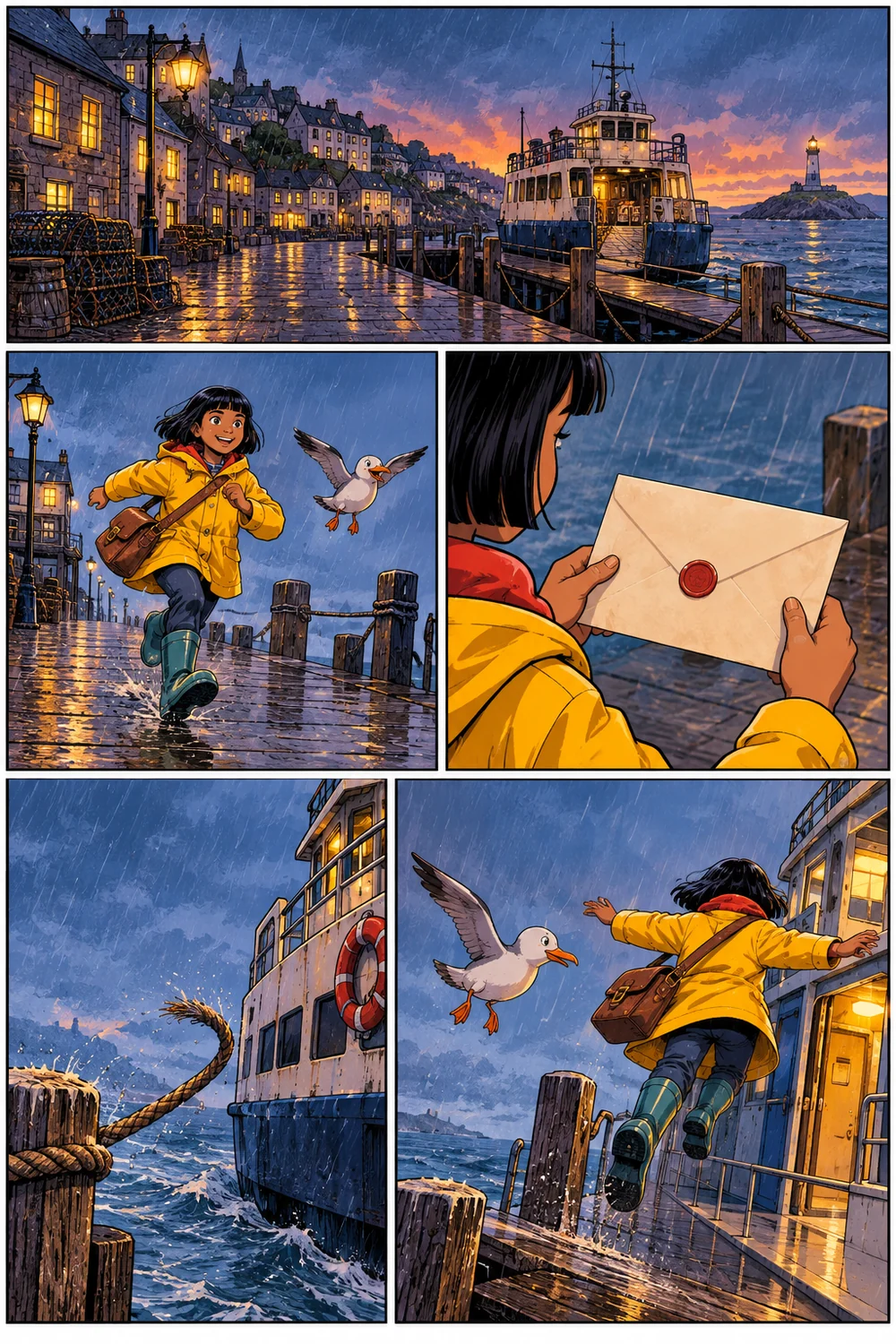
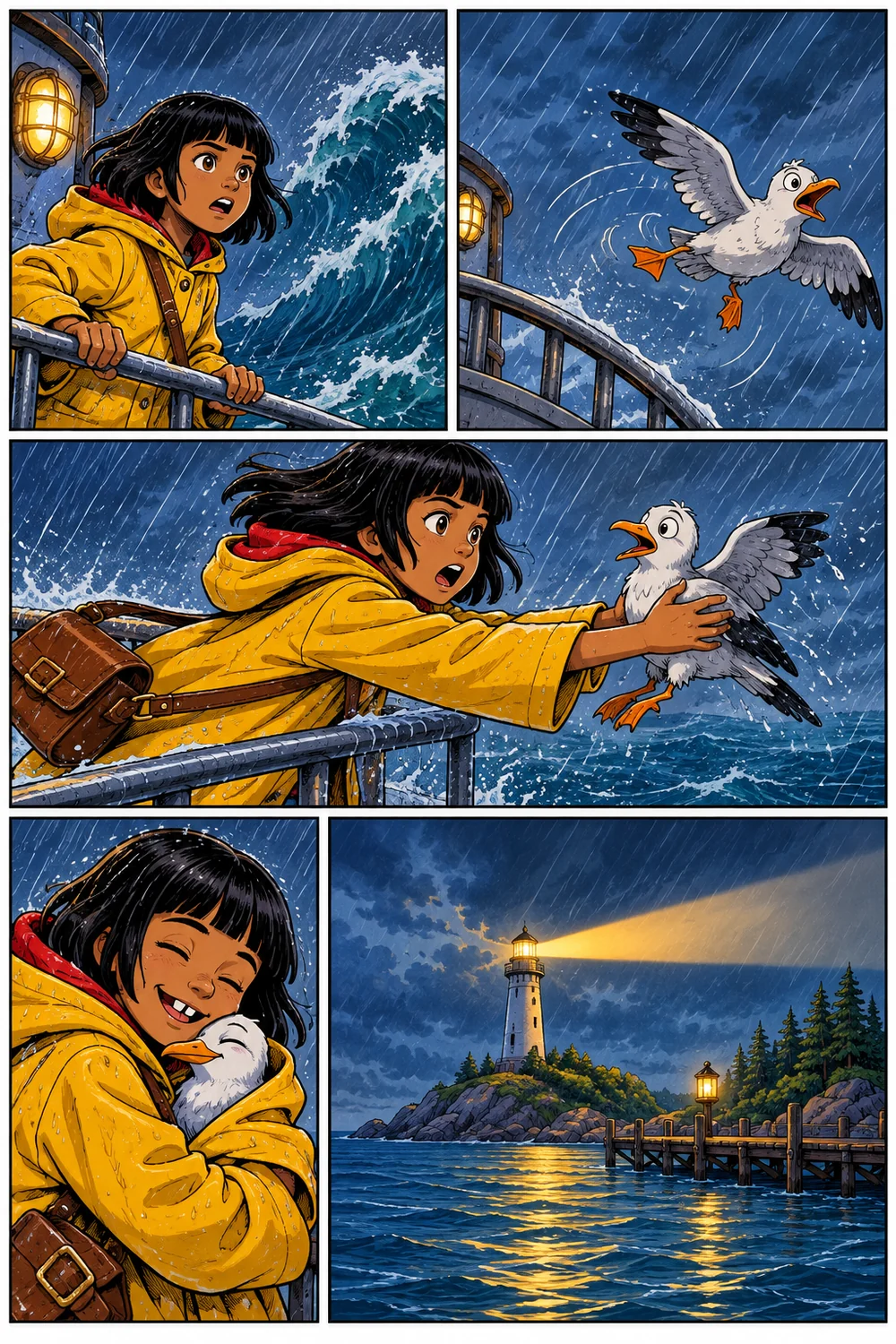
- Bleed (0.125 in)
- Trim line
- Safe area
- Gutter
- 1
Masthead and issue number
The title, issue number and creator credit. Set them as type over the art, not inside it, so you can fix a typo without redrawing the cover.
- 2
Cover art
One image that sells the story. Leave the top third quiet for the title, keep faces inside the safe area, and let the background run into the bleed.
- 3
Inside covers
In a stapled book the inside front and back covers count as pages. Many creators use them for credits, a story so far recap or a pin up.
- 4
Title and copyright page
Title, creators, year and "All rights reserved", plus an ISBN if you have one. If you used AI for any of the art, this is a good place to say so.
- 5
Story pages
Odd numbered pages sit on the right. Put a big reveal on a left page so the reader meets it on a page turn. In a longer book, each chapter opens with a chapter page.
- 6
Gutter
The binding swallows part of the inner edge of each page. Keep balloons and faces out of the hatched zone, and never run one panel across the spine of a glued book unless you plan for the loss.
- 7
Bleed, trim and safe area
Art meant to touch the edge extends 0.125 in past the trim, because the cut is never perfect. Keep words and faces inside the safe area: KDP books with bleed need at least 0.375 in on the outside edges.
- 8
Back matter and back cover
Sketches, character sheets or an about the creator page, then a back cover with a short blurb and room for a barcode if you plan to sell through stores.
Flatplan of a 28 page stapled issue, in reading order
- Front cover
- Inside frontTitle page
- 12
- 34
- 56
- 78
- 910
- 1112
- 1314
- 1516
- 1718
- 1920
- 2122
- SketchesInside back
- Back cover
Our book export adds title, copyright, cast, chapter and about pages for you, and checks KDP page count and blank page rules before you upload.
Budget
What it costs to make your own comic book
Most cost guides only price hiring an artist, which is where the scary totals come from. There are three very different paths, and the first one costs nothing. Every figure below is a quote from the named source on the date shown.
01
Paper mini comic
Kids, classrooms, a first finished book
$0 to about £30
- One sheet of paper and a pen$0
What you already have
- Copies on a home printer or copierpaper and ink
- Ink ready supplies: fineliners, brush pen, good paperabout £20 to £30
The Hobby Library
02
Do it yourself digital, print on demand
Solo creators who draw, or who use an AI tool
$0 and up
- Drawing softwarefree to paid
Krita is free; others vary
- Script in our toolfree
comicideas, Nov 2026
- Art for 24 pages of 5 panels in our toolabout 360 credits
120 panels at the default 3 credits; 100 free credits at sign up
- Stapled print on demand, per copyfrom $5.83 B/W, $10.57 color
Lulu comic books page, checked Nov 2026; page count not stated
- ISBN, optional$125 for 1, $295 for 10
Bowker prices via Fulfillrite, Mar 2026
- Barcode, optional$25 to $30
Fulfillrite, Mar 2026
- A whole solo, digital only projectpossibly under $2,000
Fulfillrite, Mar 2026
03
Hire an artist
Writers who want professional art
about $4,000 to $10,000
- 24 interior pages, black and white$4,056
AuthorWings, Oct 2026, vendor price
- 24 interior pages, full color$5,256 ($219 a page)
AuthorWings, Oct 2026, vendor price
- Cover$249
AuthorWings, Oct 2026, vendor price
- One real issue: art for 23 color pages and 2 covers$5,160
Honor Vincent, Andraste, Feb 2021 update
- The same issue, everything included$7,915
Honor Vincent, Andraste, Feb 2021 update
- Offset run of 500, 24 pages color, per copyabout $1.50 to $3.00
Fulfillrite, Mar 2026
- Typical total budget$5,000 to $10,000
Fulfillrite, Mar 2026
These are published prices and budgets from the vendors and creators named, not quotes for your project. Rates change, so get current quotes before you commit. Our own plans and credit packs are listed on the pricing page.
Printing and publishing
Choose how to print your comic book
There are four common ways to get a finished file onto paper. Answer three questions and the best fit lights up; the table shows what each method needs and what it costs per copy.
Best fit for your answers: Home printer and fold
| Best matchHome printer and fold | Print on demand, stapled | KDP paperback | Offset print run | |
|---|---|---|---|---|
| Binding | Folded, or stapled with a long reach stapler | Saddle stitch (stapled) | Perfect bound (glued spine) | Stapled or glued, your choice |
| Pages | 8 from one sheet; booklets in multiples of 4 | Multiple of 4; check the vendor's minimum | 24 (Premium Color, B/W), 72 for Standard Color; spine text above 79 | Multiple of 4 for stapled books |
| Cost per copy | Paper and ink | From $5.83 premium B/W, $10.57 premium color (page count not stated) | Set by page count and ink; see KDP's current pricing | About $1.50 to $3.00 a copy at 500 (24 pages, color); $1.00 to $1.75 at 1,000+ |
| Best for | Mini comics, zines, school projects, test copies | A first issue, convention copies, small runs | Graphic novels and collected editions sold online | Crowdfunding rewards, shops, events |
| Watch out | Many home printers cannot print to the edge, so keep art inside the margins. | The price per copy climbs with page count and color. | We found no stapled option; confirm on KDP. You must declare AI generated content when you publish. | Minimum orders of around 500 copies are common; ask the printer. You store and ship the boxes. |
| Source | Common craft practice | Lulu comic books page, checked Nov 2026 | KDP help pages, checked Oct 2026 | Fulfillrite, Mar 2026 |
Before you publish
- Files. Printers want 300 DPI for color and 600 DPI for black and white line art, with 0.125 in bleed. KDP treats images under 200 DPI as low resolution.
- ISBN. You do not need one to make a comic book or sell copies yourself. Bookstores and wider distribution usually do. In the US, Bowker sells one for $125 or ten for $295 (Fulfillrite, Mar 2026).
- AI content. KDP asks publishers to declare AI generated content when they publish. Rules differ by platform and change over time, so check each platform's current policy.
- Our export. It builds a print ready PDF with bleed in 9 trim sizes and checks KDP page count rules. It does not lay out stapled booklets, and we do not print or ship.
Paper only
Create your own comic book from one sheet
If you want to know how to make a comic book with paper and nothing else, start here: one sheet, one cut, eight faces. It is the fastest way to finish a whole book, and a classic project for kids from about age 9 (First Art Books). Plan it on the flat sheet first, so you know which boxes go upside down.
- Fold line
- Cut here only
- Top row is upside down
1.Fold the long way
Fold a Letter or A4 sheet in half lengthwise, crease it hard, then unfold.
2.Fold into eight
Fold it in half the short way, then in half again. Unfold: you now have 8 boxes.
3.Cut one slit
Fold it in half the short way and cut along the middle crease from the fold to the next crease line, through the middle two boxes only.
4.Push the ends together
Open the sheet, fold it the long way again and push both ends toward the center so the slit opens into a cross.
5.Fold it flat
Wrap the pages around so the front cover is on top. Draw on the flat sheet first and you can photocopy it for every friend.
Questions about making a comic book
Plan it, draw it, print it
Making a comic book starts with a page plan. Bring yours to the comic book maker: the script is free, new accounts get 100 credits, and you can draw, generate or upload every page.
Start my comic book